Ready-made dashboard
Review SharePoint sharing, storage and inactive sites in one workspace.
Explore the sample ↗
COREDESK / WINDOWS
Overview, sharing, storage, inactive sites and a separate OneDrive check.
THE COREDESK STARTER KIT
Review SharePoint sharing, storage and inactive sites in one workspace.
Explore the sample ↗Know what to inspect, who to ask and what to confirm before changing anything.
Read the guide ↗Discuss setup questions, review scope and interpretation with your team.
Explore support options ↗Delivered as a Windows dashboard app, not an Excel or PowerPoint template. Initial tenant setup requires administrator approval. Beta access and support availability are confirmed separately.
CoreDesk beta screens supplied for this demo. Contoso is fictional; results are illustrative.
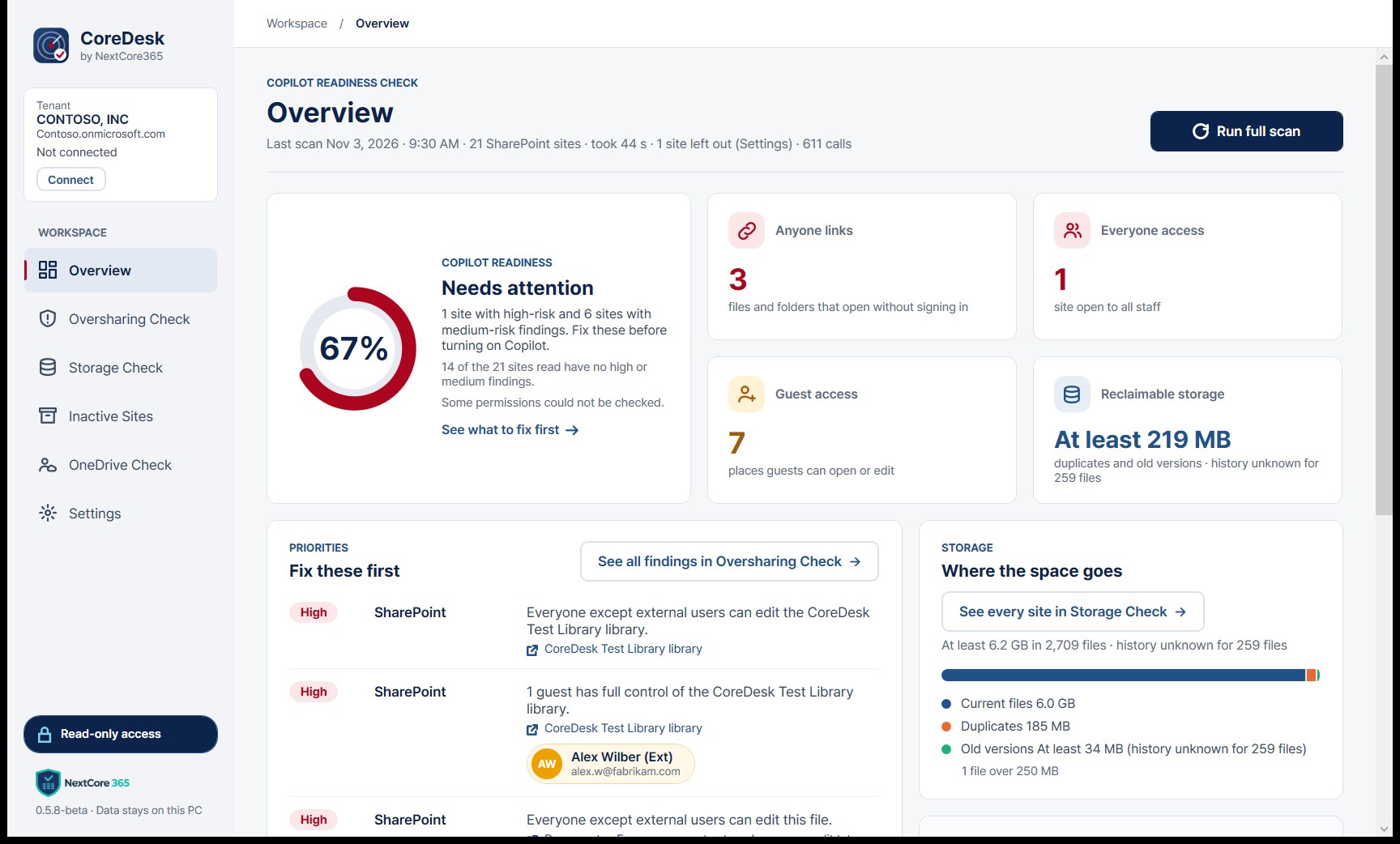
Readiness indicators, findings and coverage in one view.
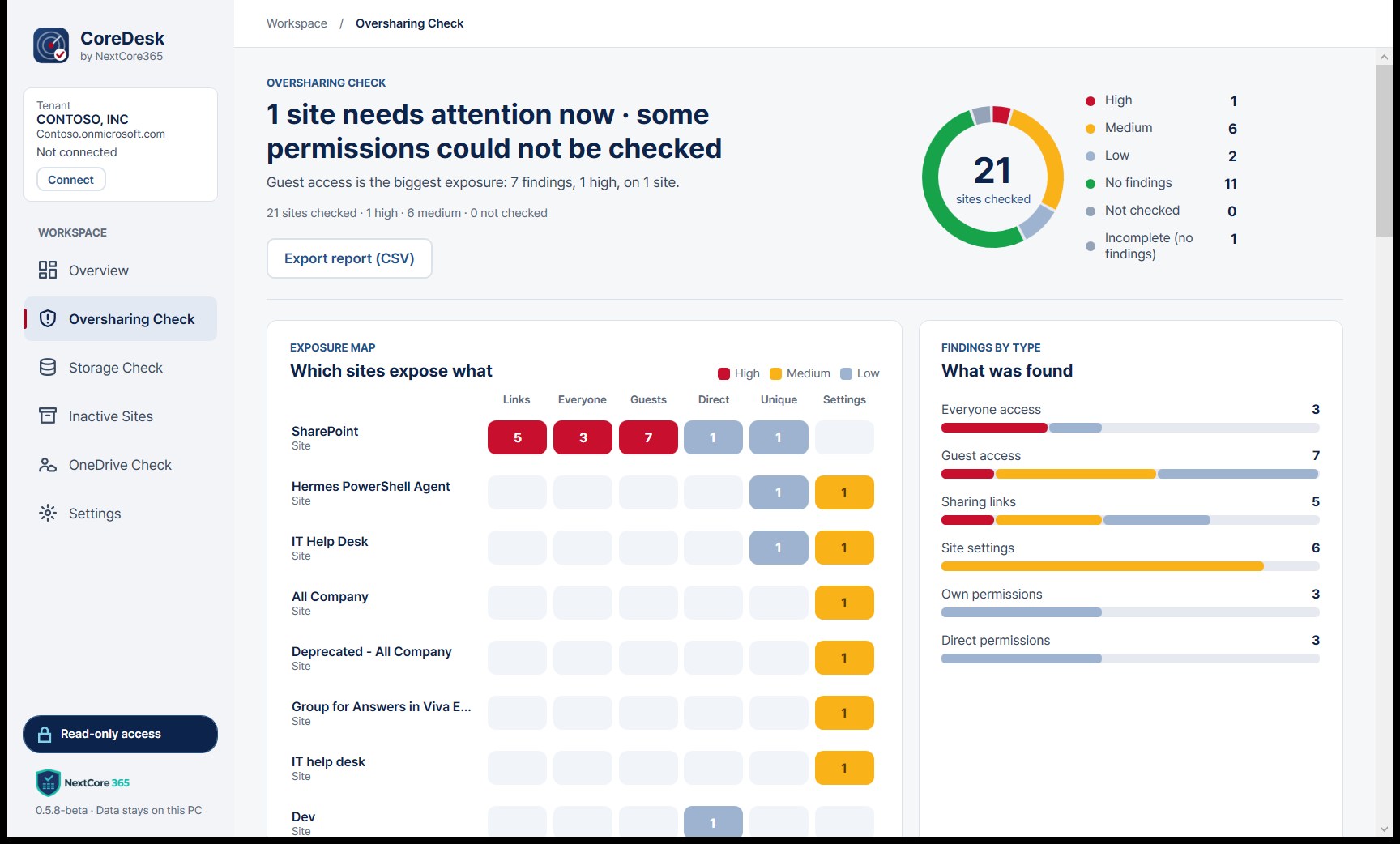
Inspect the exposure map and follow findings to their source.
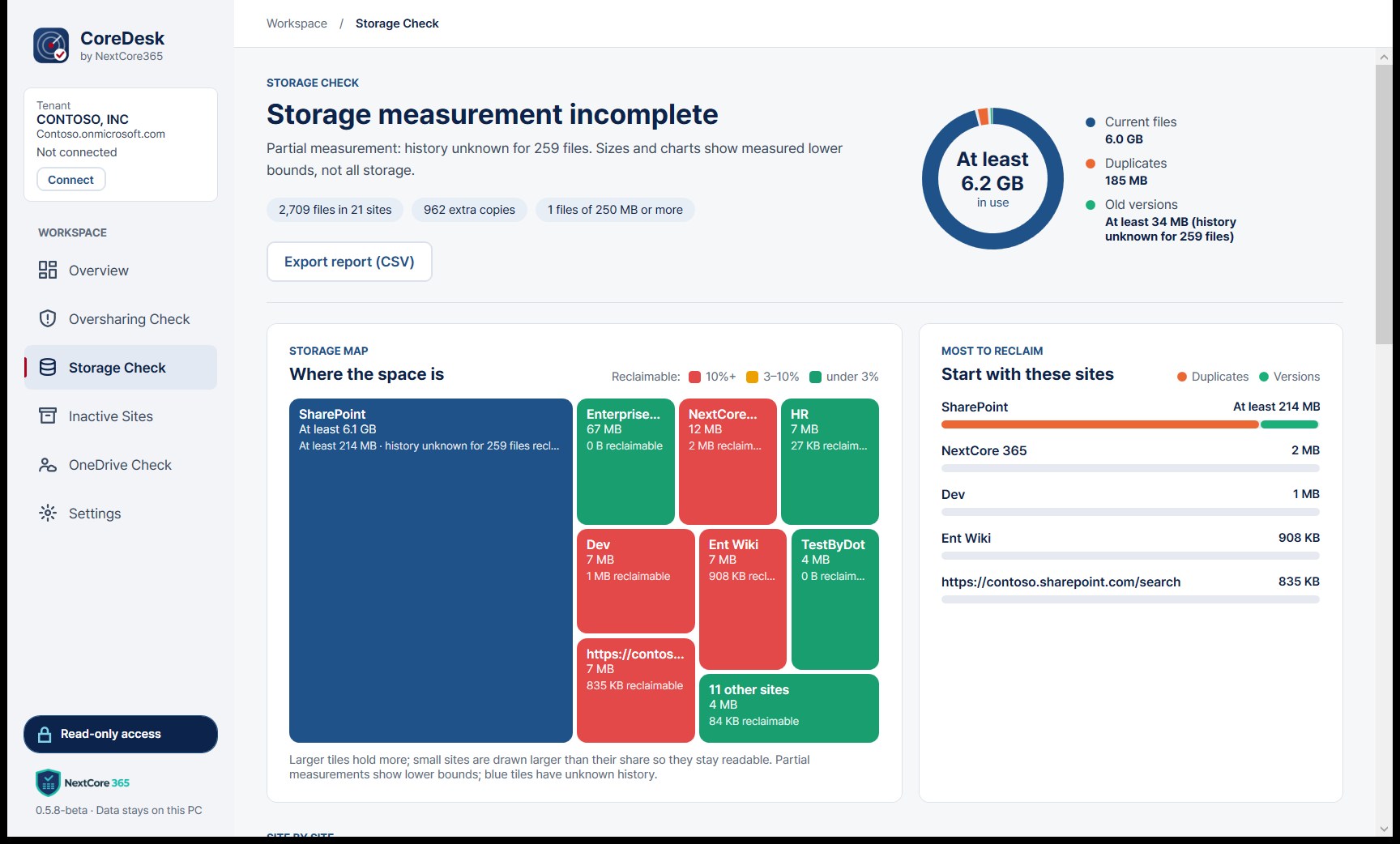
See incomplete measurements and lower bounds before planning cleanup.
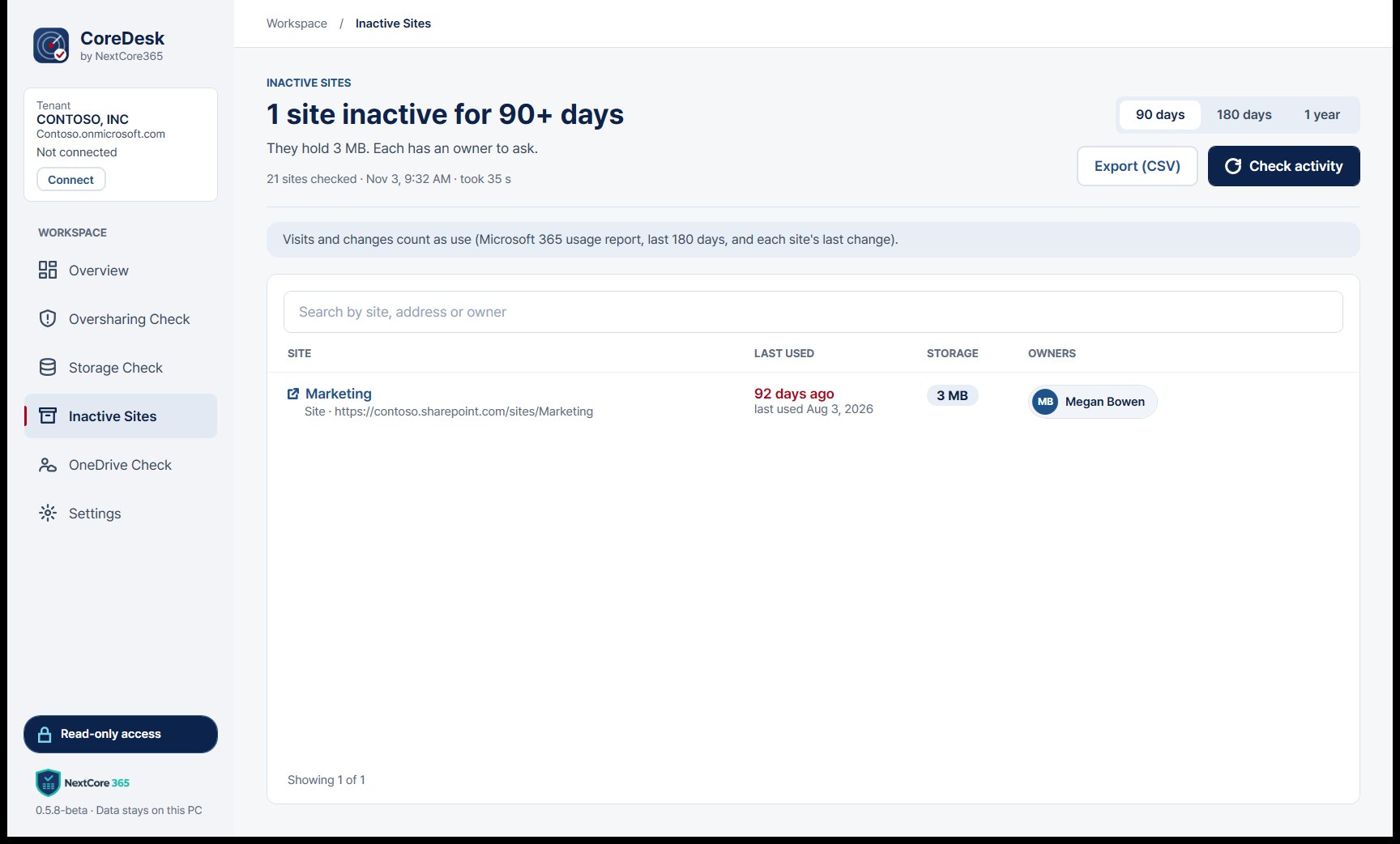
Review 90-day, 180-day and one-year activity windows.
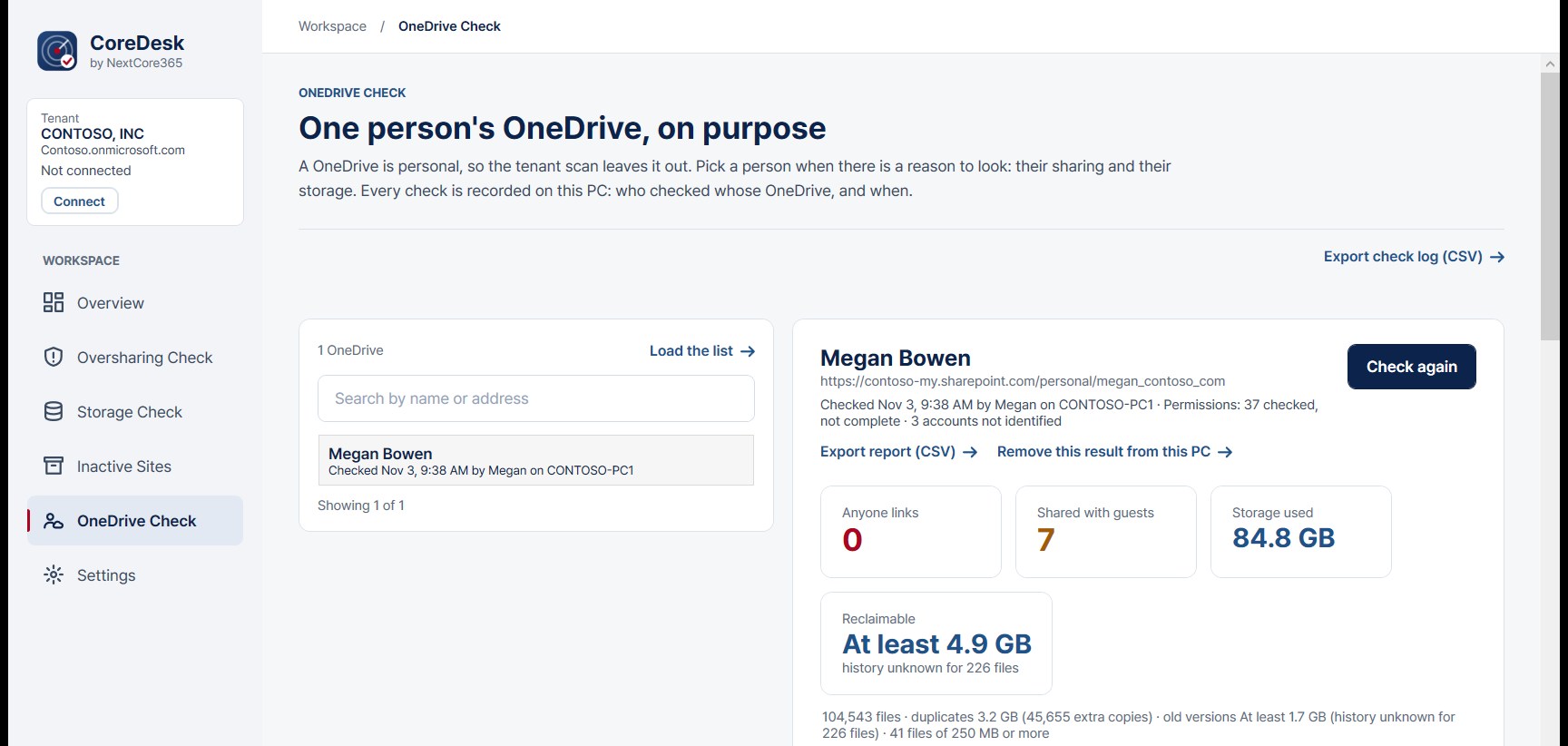
Separate from SharePoint, with a local check log.
CONNECTION & CONTROL
Initial connection registers or configures the app and certificate with administrator approval. Subsequent reviews read information; they do not delete files or change sharing permissions.
Readiness is a summary of checked findings, not a security certification. Incomplete measurements remain visible. Storage candidates need content and retention review; they are not guaranteed savings.
See the Windows setup, administrator-approved connection and review workflow.
Watch the installation guide · 3 min 15 secFive views. Fictional business data. No connection.
22 SharePoint sites · Fictional sample scan
15 of 22 sites have no High or Medium findings.
An edit link can be opened without signing in.
Documents / Employee Salaries.xlsxConfirm who needs access. Review the link scope with the file owner.
A guest has full control of this library.
Contracts / Supplier Agreement.pdfConfirm the business need and whether a lower permission is appropriate.
Anyone in the organisation can join this public group.
Whole siteReview the intended audience before changing the group setting.
68% is the share of checked sites without High or Medium findings—not a security certification or a guarantee of Copilot readiness.
22 sites checked · 1 High · 6 Medium · 1 Low · 14 with no findings
| Site | Links | Everyone | Guests | Direct | Unique |
|---|---|---|---|---|---|
| Finance | 5 | 3 | 7 | 1 | 1 |
| Project Archive | — | — | — | 1 | 1 |
| IT Help Desk | — | — | — | — | 1 |
| Company Hub | — | 1 | — | — | — |
An edit link can be opened without signing in.
Documents / Employee Salaries.xlsxConfirm who needs access. Review the link scope with the file owner.
A guest has full control of this library.
Contracts / Supplier Agreement.pdfConfirm the business need and whether a lower permission is appropriate.
Anyone in the organisation can join this public group.
Whole siteReview the intended audience before changing the group setting.
Duplicate candidates 0.3 GB · Old versions 2.7 GB
Rounded sample values. Tile sizes are illustrative.
Older project files account for most of the review candidates. Expand the lists below to see why.
Project Proposal.pdf
3 copies × 150 MB = 450 MB · 300 MB duplicate candidate. Confirm content and retention needs.
Quarterly Business Review.pptx
Current file 12 MB · version history 2.7 GB. Review the version policy and legal retention before removing versions.
Company Training Video.mp4 — 1.2 GB
Large files are listed for review; their size alone does not mean they should be deleted.
Duplicate and version candidates are not guaranteed recoverable space. Categories can overlap; do not add every report row as a savings total.
Review the owners, purpose and retention before archiving.
| Site | Last used | Storage | Owner |
|---|---|---|---|
| Legacy Knowledge Base | 265 days ago | 29 MB | No active owner |
| Previous Campaign | 251 days ago | 4 MB | Marketing team |
| Completed Project | 500 days ago | 3 MB | Project team |
Separate from the SharePoint scan. Select a person for a specific business reason.
alex.lee@contoso.example · Fictional user
A guest can edit this file.
Documents / Client Proposal.pdfAsk the owner whether the external reviewer still needs access. Guest: Morgan Taylor (morgan@partner.example).
A guest can edit this workbook.
Documents / Vendor Onboarding.xlsxVerify the business purpose and use the least access required.
This web sample does not select real users, connect to OneDrive or create a check log.
Interactive web sample reconstructed from CoreDesk screens. Names, addresses, sites and documents are fictional. No tenant connection or changes.
FAQ
There is no public installer or automatic enrollment on this website. For beta availability, email info@nextcore365.com.
No. The web demo uses fictional data. A real review requires the Windows app and an administrator-approved tenant connection.
An administrator approves the app and certificate connection during initial setup. Subsequent reviews read information. CoreDesk does not automatically delete files or change sharing permissions.
Before connecting, confirm the build’s required permissions, admin role, certificate handling, report/log locations and removal steps. Email us to discuss setup for your environment.
No. Check coverage and incomplete measurements. Readiness is not a security certification; storage candidates require content and retention review before cleanup.
Start with a short description of the business question. Do not send passwords, private keys, certificates, confidential files or unredacted scan exports.
A prebuilt review workflow, an online checklist and separately agreed support. CoreDesk itself is a Windows app; it is not an editable spreadsheet or slide template. The app does not automate cleanup or replace Microsoft 365 administration.